BlogProject Practice
A Demo Environment That Rebuilds with Every Release
How we treat demo data, bilingual screenshots, a live demo and the sales handbook like code, so they stay current with every release.
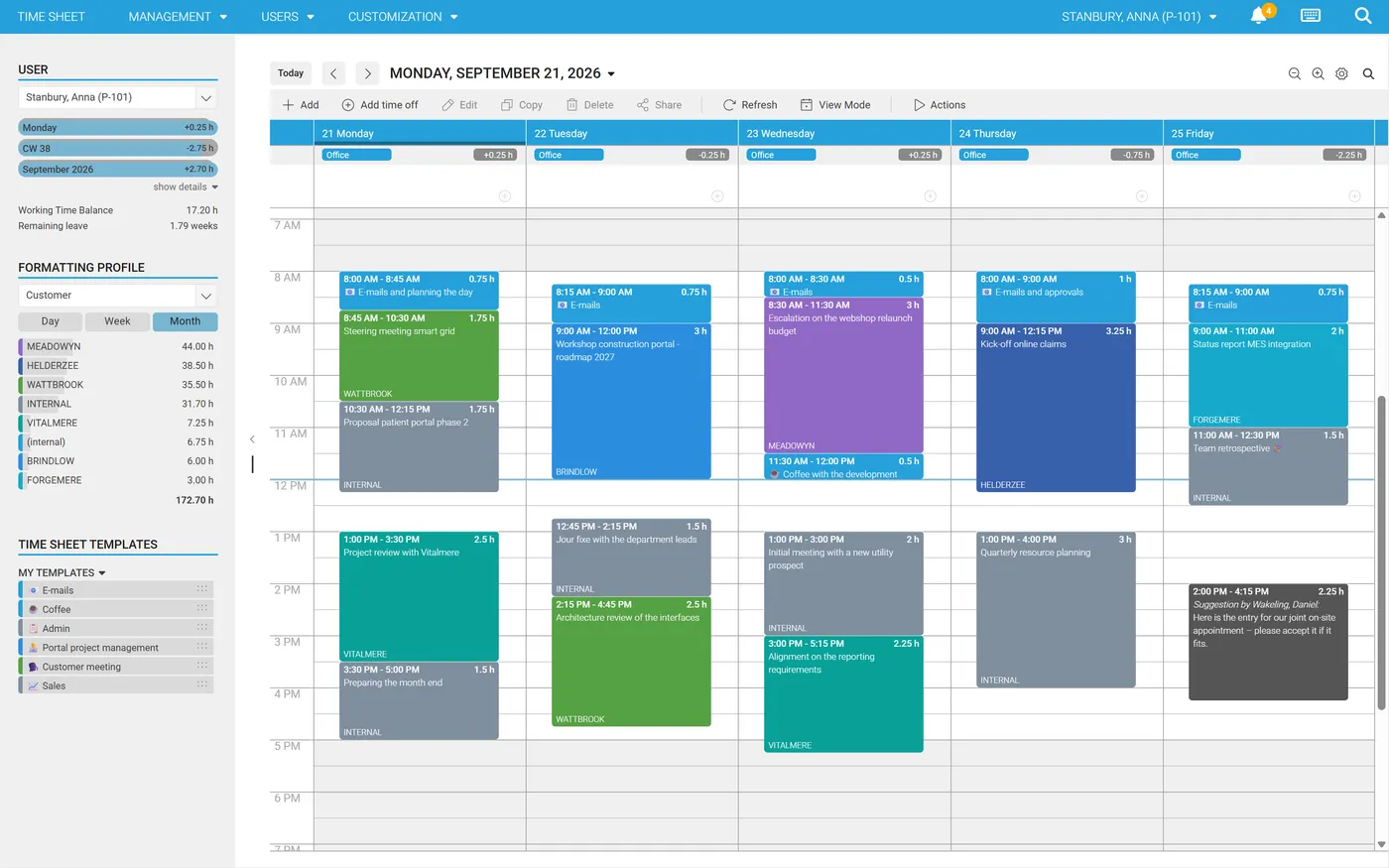
Every small software company knows the moment. A prospect wants a demo tomorrow, the website still shows the user interface of two releases ago, and the screenshots in the German brochure have English data in them. Somebody opens the product, clicks together a few plausible bookings, takes screenshots by hand and promises to clean it up properly “after the release”.
We had exactly that state with time cockpit, our own product for time tracking and project controlling. We sell it in German and in English, and we are a small team without a marketing department. So we did what engineers do with a recurring, error-prone manual process: we turned it into code.
This article is an overview of the four building blocks we ended up with: demo data as a script, screenshots as a test run, a live demo that records nothing, and a handbook for sales that is built from the same sources. It is not a recipe to copy; your product will need its own version. It is the set of decisions that made it work for us.
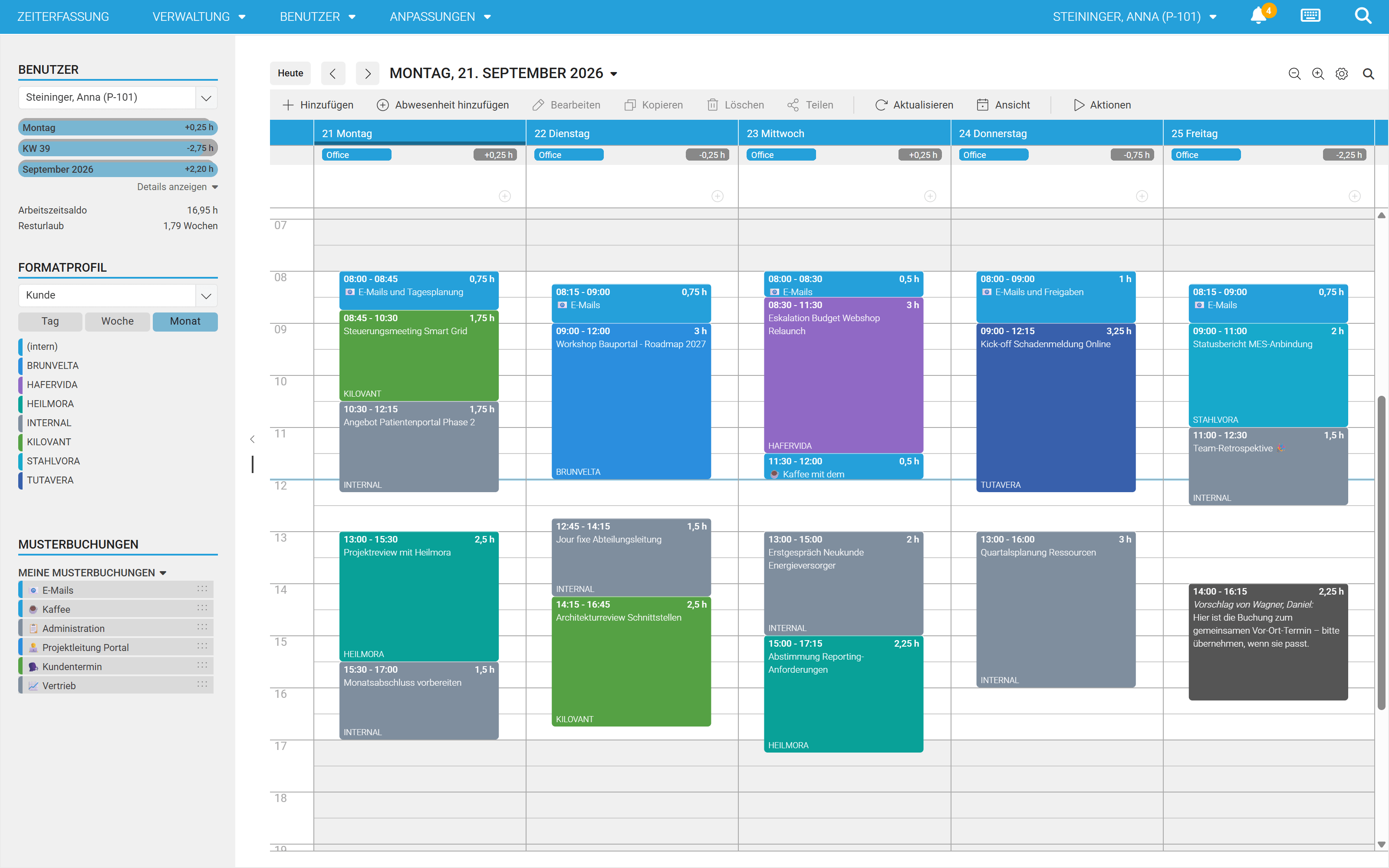
Every product picture in this article was generated by exactly the runs it describes: the calendar pictures of the time cockpit web app by the screenshot run against the two demo tenants, the sidekick pictures by its demo mode. Nobody clicked through a user interface for them.
Try it: switch to DE at the top right for the German version of this article. All pictures there are German, with German names, customers and date formats, from the same run.
The problem: marketing material rots faster than code
Demo material has the same failure modes as an untested code base, only nobody notices them in a build:
- Hand-made demo data drifts. Someone books a test entry, someone else deletes a customer, and after a few weeks the demo tenant tells no story anymore. Nobody knows what “the right state” was.
- Real data is not an option. Customer data in a screenshot is a privacy incident, and your own company’s data reveals more than you want.
- Screenshots age with every release. A changed toolbar or a new colour makes every picture on the website subtly wrong, and retaking twenty pictures by hand is a day nobody has.
- Two languages double everything. A German and an English picture of “the same” screen are only the same if the data behind them is.
- Sales needs a story, not a feature tour. Without a script, every demo is a different improvisation, and the strongest moments depend on who presents.
Each of these is a reproducibility problem. And reproducibility is something engineers know how to solve.
Building block 1: demo data is a script, not a database backup
The demo environment is a dedicated tenant that a script fills from scratch: a fictional IT service provider with about twenty employees, six months of history, around 9,000 time bookings, projects with budgets, absences and invoices. Run it again and the tenant is back in its defined state.
A few decisions mattered more than the amount of data:
- The data tells a story on purpose. A random generator produces noise; a demo needs situations. One project sits at roughly 90 % of its budget, one is clearly over it. The most recent month is deliberately not billed, so the list of unbilled hours has something to show. A colleague has left a booking suggestion in the manager’s calendar. Each of these is a talking point in a demo and a picture on the website.
- Deterministic, but relative to today. The script uses its own small random generator with a fixed seed instead of the platform’s, because those are not guaranteed to produce the same sequence across runtimes. Dates are computed from the day of the run, so the history always ends “now”. Same seed, same day, same data.
- One structure, two languages. The German and the English variant are generated by the same code with the same number of people, projects and absences. Only names, addresses, cultures and public holidays are localised. That is what makes the German and the English screenshot of a screen comparable.
- It refuses to run in the wrong place. A script that deletes all bookings of a tenant is dangerous. Before it writes anything, it checks that the tenant contains only demo customers and demo users, and everything runs in one transaction. If anything fails, the tenant is unchanged.
Fictional names are harder than they look
The first version of our demo data used plausible company names. A review showed that several of them belonged to real companies, and so did a phone number and a few registration numbers. Plain words and place names are almost always taken by someone.
The fix became a rule: company names are invented coinages and are checked against company registers and trademark databases before they are used. Identifiers such as VAT numbers, IBANs or phone numbers are invalid by construction: they look realistic but carry a wrong check digit or come from number ranges reserved for film and television. E-mail domains end in .example, a top-level domain that is reserved for exactly this purpose (RFC 2606). Anything that ends up on a public website needs this level of care, and it is much easier to build into a script once than to check by hand every time.
Building block 2: screenshots are a test run
The product pictures for the website and for review platforms come from a Playwright run against the two demo tenants. Every picture is one entry in a manifest: which page, which language, what has to be loaded before the picture is taken, and which part of the screen to capture. The run logs in once per tenant, works through the manifest and writes about twenty pictures per language.
What made the pictures usable, not just automated:
- Fixed conditions. The same viewport, the same pixel density, the same light theme and the same calendar zoom for every run. Pictures from different runs can be swapped without anyone noticing.
- A clean screen. Before each capture, the run hides everything that does not belong in a marketing picture: trial banners, the chat bubble, the “new version” hint. It removes the focus from input fields and parks the mouse pointer, so nothing shows a hover state.
- Data-driven, not hard-coded. An entry never refers to an internal ID, because those change with every reseed. It asks for “the newest unbilled booking of the smart grid project” and uses labels that match both languages. One entry serves the German and the English tenant.
- Rerun instead of retouch. After a release or a reseed, the run produces a complete new set. A picture is outdated when the product changed, not when someone found time.
There are limits. Pictures that depend on the time of day have to be taken on the day of the reseed, because the data ends “now”. And one picture still comes from a desktop administration tool that a browser automation cannot drive; it has a written, step-by-step instruction instead, with fixed window size and theme. We would rather document one manual step precisely than pretend everything is automated.
Building block 3: a live demo that records nothing
The newest part of time cockpit is sidekick, a desktop app for Windows and macOS. It records which applications, files and repositories you worked with, keeps that data on your computer, and in the evening shows what you can book. For a demo, that is a problem: showing it live means showing your own windows, files and calls on a projector.
So sidekick has a demo mode. It runs as a second instance with its own profile and its own local port, records nothing at all, and plays invented days from plain JSON files instead: a developer day with three projects, a meeting that ran an hour longer than planned, a hotfix late in the evening, a night on call. Every start rebuilds the demo database from those files, so a restart is a reset. Changing a scenario means editing a text file, not clicking through a UI.
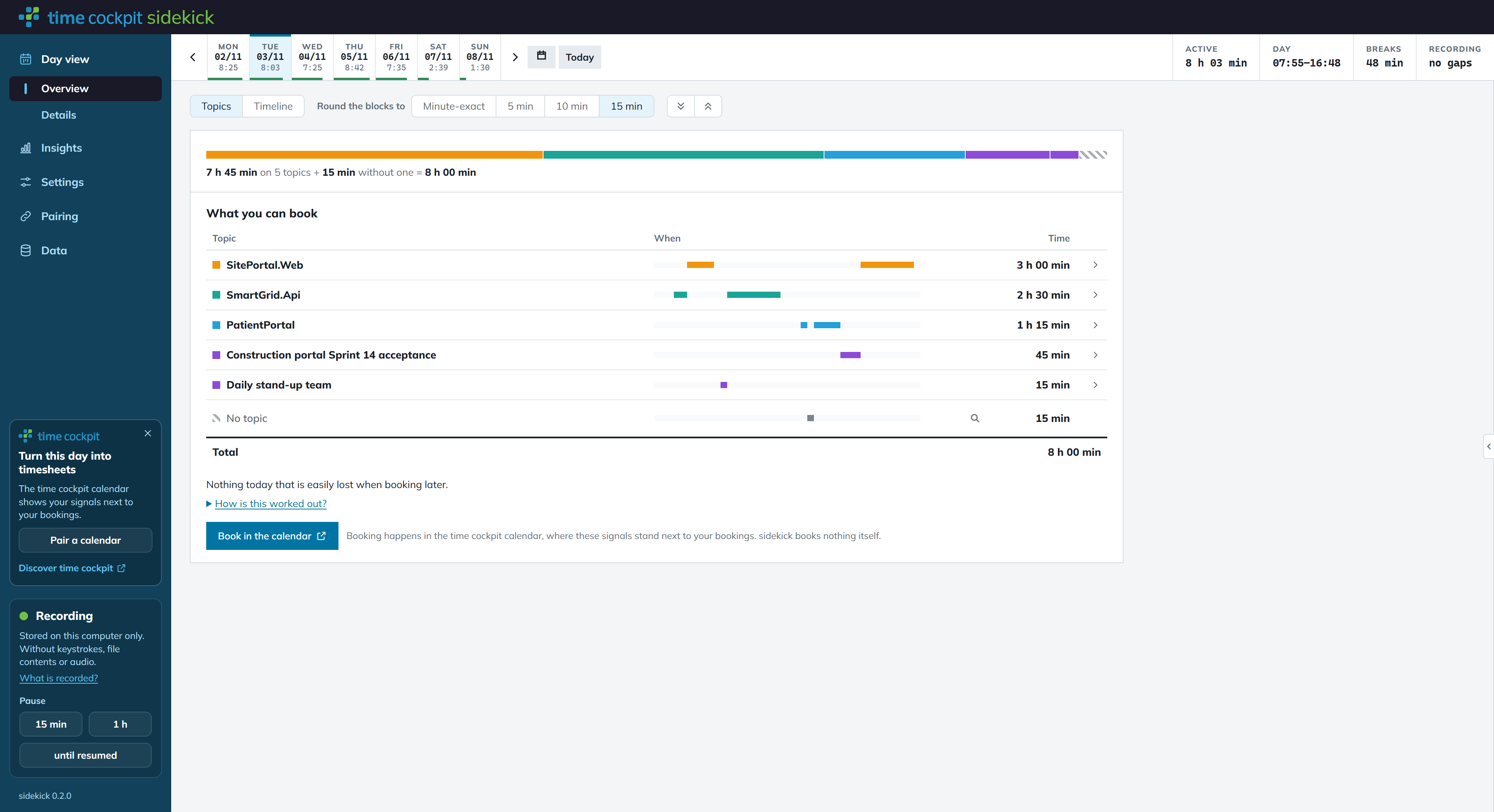
Two details make the live demo convincing:
- The demo days and the demo tenant fit together. The script that fills the tenant can write the bookings of the demo persona for exactly those days, and on purpose with gaps: the late hotfix is missing, the meeting is booked as planned instead of as it happened. sidekick then visibly fills the gaps. A shared anchor date keeps both sides aligned in the week of the presentation.
- One mode for presenting, one for pictures. For a live demo, a badge and a strip of the demo days make navigation easy for the presenter. For website pictures, a preset hides both, so the window looks exactly like the real product.
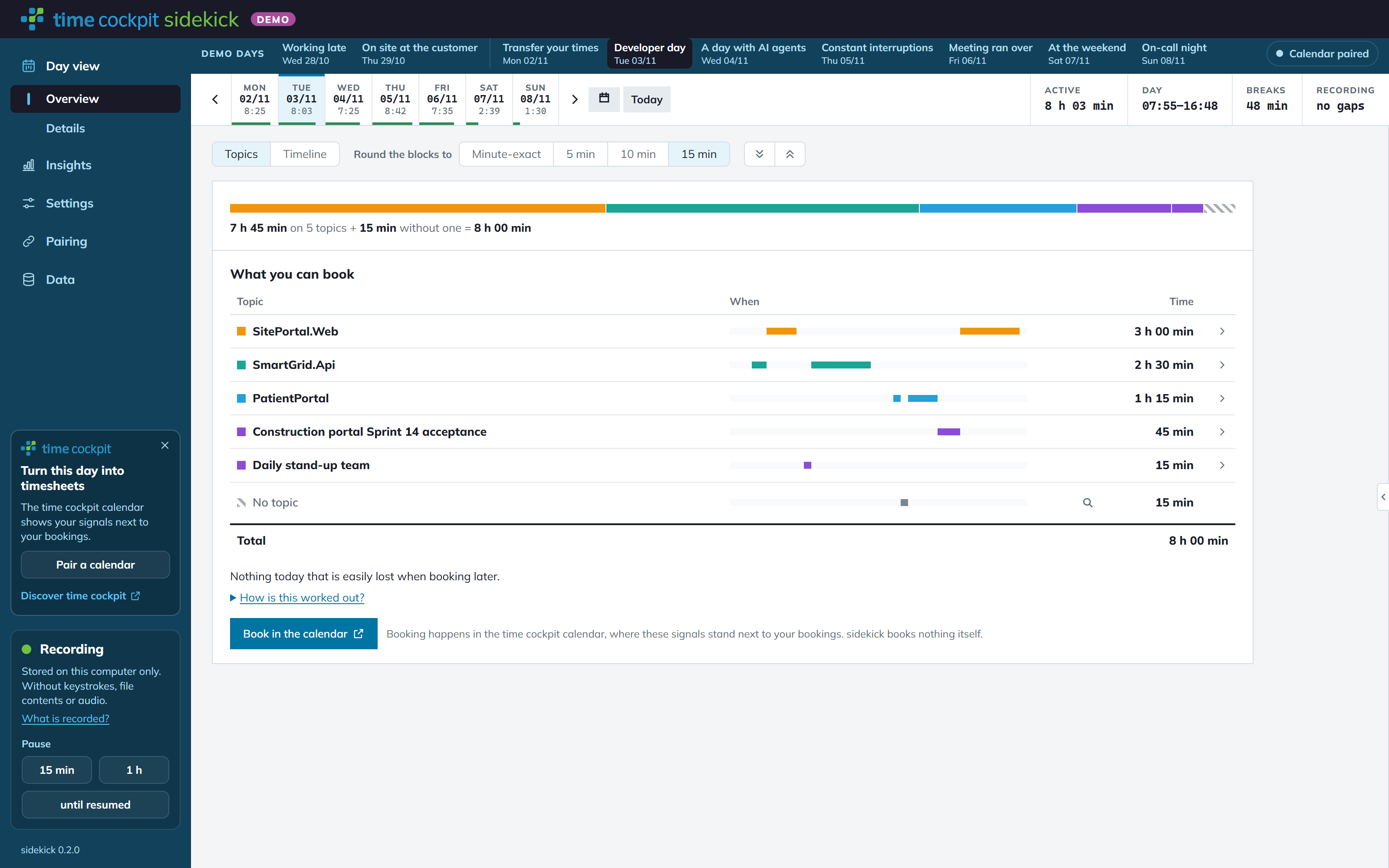
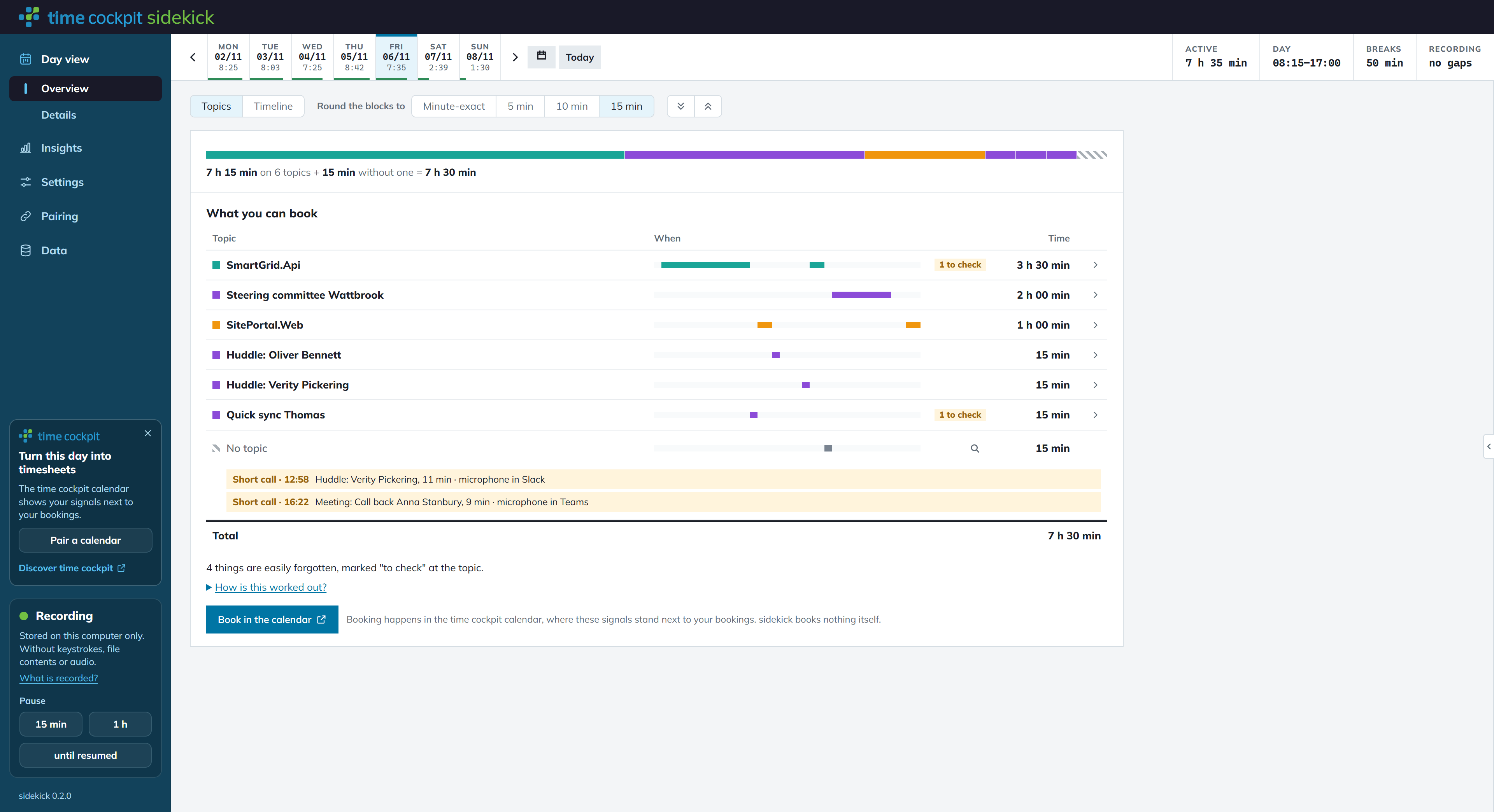
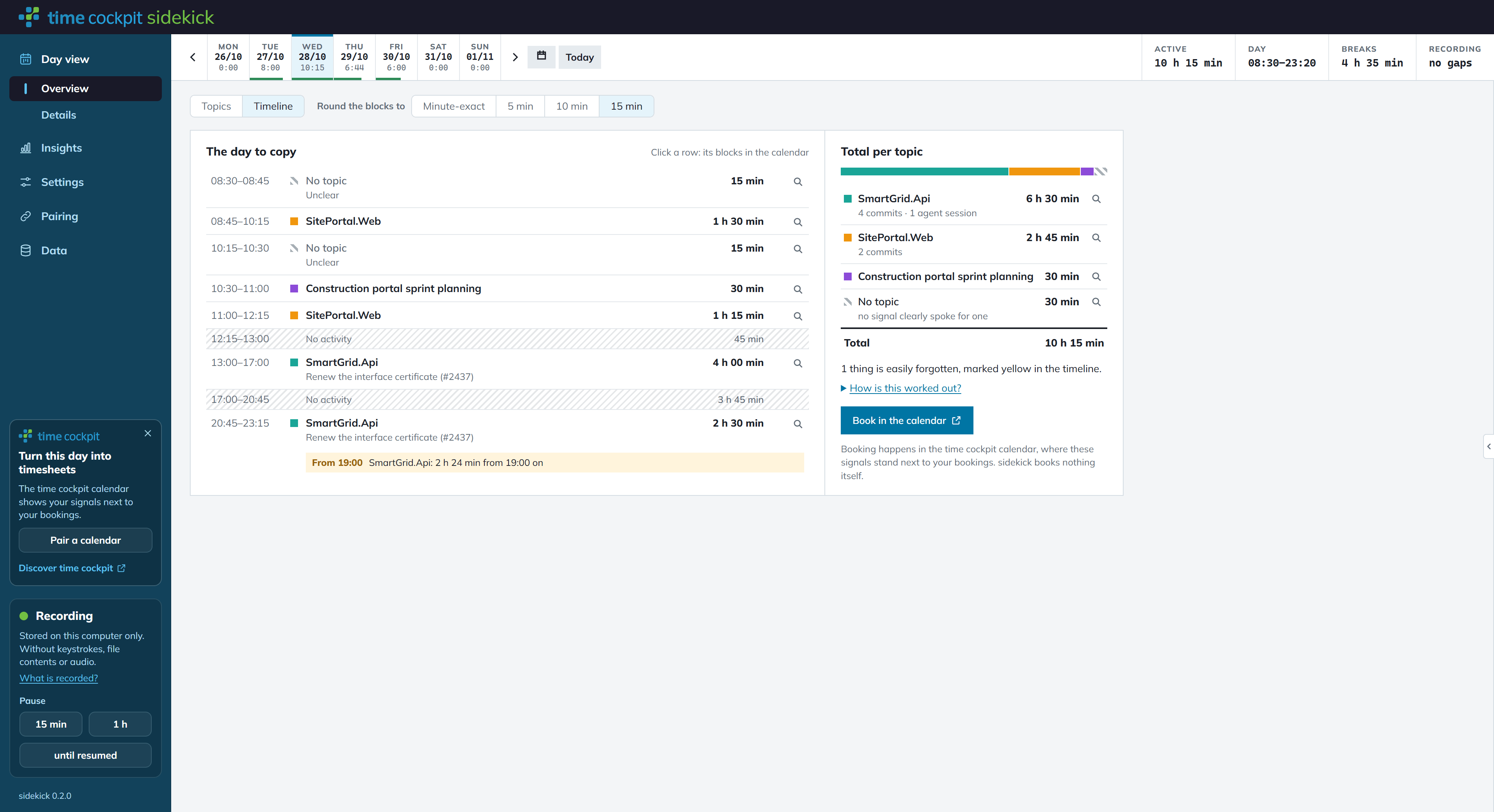
The demo mode also takes its own pictures. One command starts it with a fixed anchor date, walks through every demo day in German and in English and writes about thirty pictures per language, with or without the presenter’s badge and strip. On our machine that took about two minutes per language. The four pictures in this section and all pictures of the handbook come from that run.
Building block 4: a handbook for sales, built from the same sources
The most underrated part is the handbook. A demo environment helps only if the people who present it know which story to tell. Ours describes a ten-minute flow and, for every demo day, three things: what the day is about, where to click, and what to say. It also offers a shorter path for when time runs out, and alternatives for managers and on-call teams.
The pictures in the handbook come from the same kind of automated run as the website screenshots, in German and English. When the user interface changes, the handbook pictures are regenerated, not forgotten. The same material also feeds customer-facing walkthrough pages that explain the product day by day.
For engineers, writing this handbook is the useful exercise: you have to decide what the product is for, in sentences a salesperson can say. That turns out to be a good review of the product itself.
What this has to do with marketing for engineers
With coding agents, developers have something close to super powers right now. A feature that used to take a sprint can be on the main branch within days. But that velocity is worth nothing if the website still shows the release before last, the screenshots are from three versions ago and nobody in sales can demo the new feature. Customers buy what they can see. When development gets faster, the bottleneck moves to everything around it: demo data, pictures, the story for sales. If marketing and sales cannot keep pace, the speed-up never reaches a customer.
Marketing in a small software company is usually done by the people who build the product, next to everything else. The answer is not to become a marketing department. It is to apply what engineers already do well:
- Treat marketing material as a build output. Data, pictures and handbook are generated from sources in version control. A release is not finished until they are regenerated.
- Make it deterministic. If you cannot rebuild a picture, you cannot trust it.
- Design data like a test fixture. Each record exists because a scenario needs it, not because a generator happened to produce it.
- Put guardrails where it is dangerous. Scripts that delete data check where they run. Names and numbers that go public are checked once, systematically.
- Write down the remaining manual steps. Precisely enough that someone else can do them.
When this is not worth it
- Small, stable products. If you have five screenshots and release twice a year, a careful manual process is cheaper.
- The scripts are code to maintain. When the data model changes, the demo script and the screenshot manifest change with it. Budget for that, or they will rot as well.
- Generated data looks generated if you let it. The calendar week that ends up on the website is hand-written inside the script; pure randomness never looked right.
- Date-relative data needs timing. Some pictures only look right on the day of the reseed.
Where we use this
We run this setup for time cockpit: two demo tenants in German and English, the screenshot run for our website and the review platforms, and the sidekick demo mode with its handbook for sales and consulting. The same approach works for any product with a multi-tenant or resettable backend and a browser front end, and it is the kind of tooling we build in software projects when a team needs its product to be presentable without a dedicated marketing team.
If you would rather see what the demo shows than how it is built: sidekick is available for Windows and macOS and shows you, at the end of your own day, where your hours went.
Takeaways
- Generate demo data with a script: deterministic, relative to today, identical in structure across languages, with a guard against running in the wrong tenant.
- Design the data around the stories you want to tell, not around volume.
- Use invented names and identifiers that are invalid by construction, and check them once before they go public.
- Describe every screenshot in a manifest and produce the full set with one run after every release.
- Give your live demo its own data and its own profile, so it never shows real work.
- Write a short handbook for sales with flow, clicks and talking points, and generate its pictures from the same pipeline.
If your product needs a demo environment and screenshots that stay current without a marketing team, let’s talk about yours.
